Laboratory management, connected from registration to report
PLS connects patient visits and orders to barcode-based specimen work, configurable result entry, review and authorized reports. Your laboratory can create its own tests and report structure rather than work only with a fixed catalog.
Talk through your workflowSee where this fits in your day-to-day.
Register patients, create investigations, follow specimens and enter results using the laboratory's configured test and report templates.
- ✓Patient registration, visits and individual test or panel ordering
- ✓Permitted custom tests, demographic reference limits, formulas and report templates
- ✓Specimen barcode lookup, collection, receipt, review and recollection with audit history
- ✓Optional staff PIN confirmation in the result-entry interface
- ✓Configured critical alerts, qualified validators, approval thresholds and report-access windows
- ✓Configured report printing, payment controls and delivery preferences
Scope noteWorkflow availability, catalog policy, QC/payment requirements and validation exceptions depend on configuration. Staff PIN confirmation is not a printed patient-access code. Patient access remains within the facility's approved portal.
Explore the supporting workflows and benefits.
Patient Registration Wizard
The actual registration page with its four-step workflow, duplicate check and patient information fields.
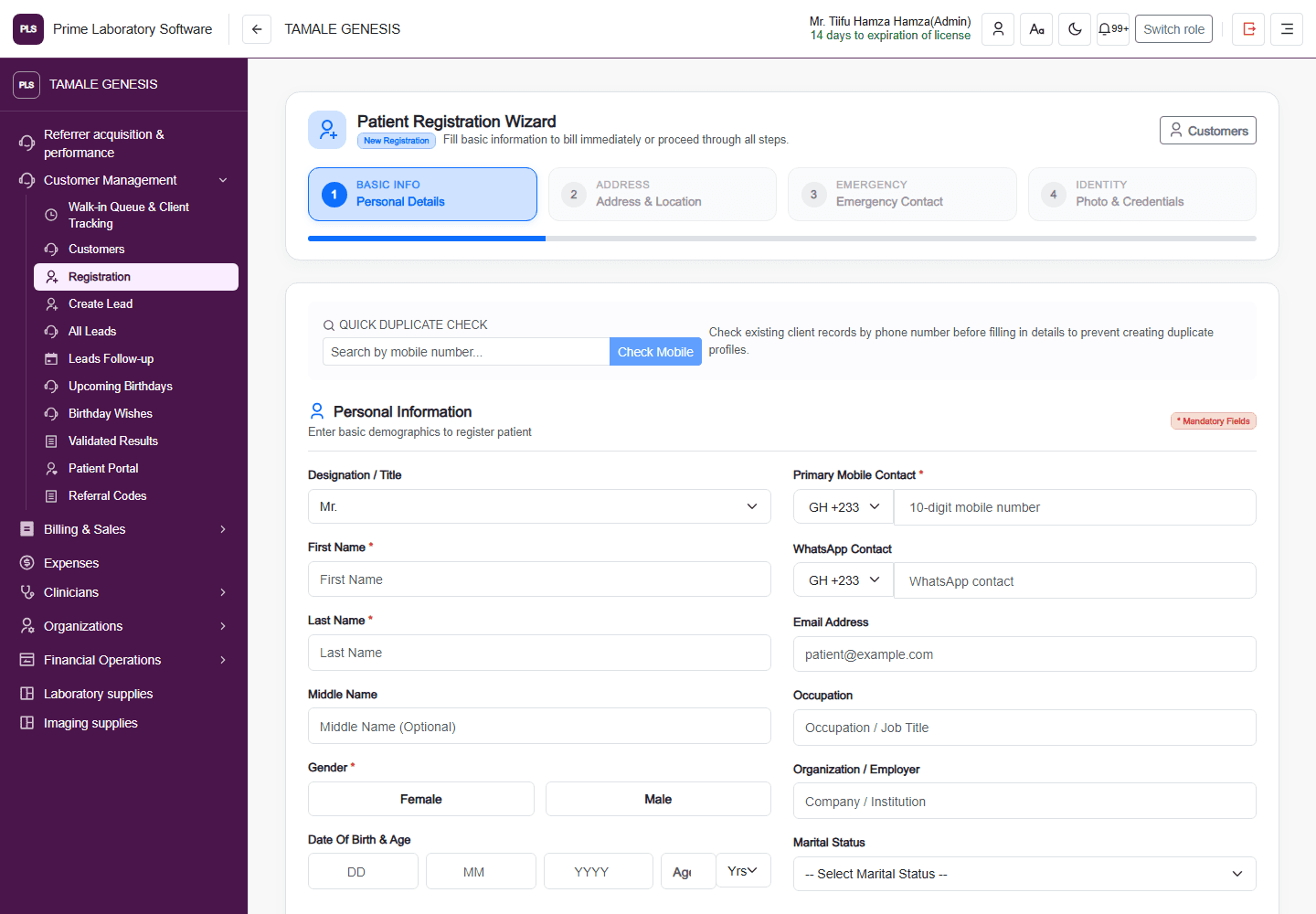
Captured from the current, customer-confirmed PLS demo facility on 1 November 2026. The application header, navigation, page content and displayed demo values are retained. This is a software page capture, not a redesigned illustration.